

What Mise AI does
Your AI host answers the phone, takes bookings, and texts guests when you're busy.
Mise AI is your AI host. It answers your venue's phone, takes bookings against your real availability, answers questions about parking and hours, and texts guests the details, all while your team works the floor. Calls it cannot handle transfer to a person, on rules you set.
What a call with Mise AI looks like
A guest calls your number. Mise greets them in your words, checks your live availability for their date and party size, offers times, and books the table; the reservation lands in Apero like any other, matched to the guest's profile by their phone number. If the caller asks for something outside its brief, a party over your size limit, or "can I speak to the manager", she transfers the call to your team and briefs whoever picks up.
Turn Mise AI on
Mise AI is a paid add-on. Open Settings, then Modules, and click Enable Mise AI under Add-ons; it is billed monthly to your plan and includes a dedicated phone number for your venue. Once enabled, a Mise AI section appears in Settings with everything on this page's sibling guides.
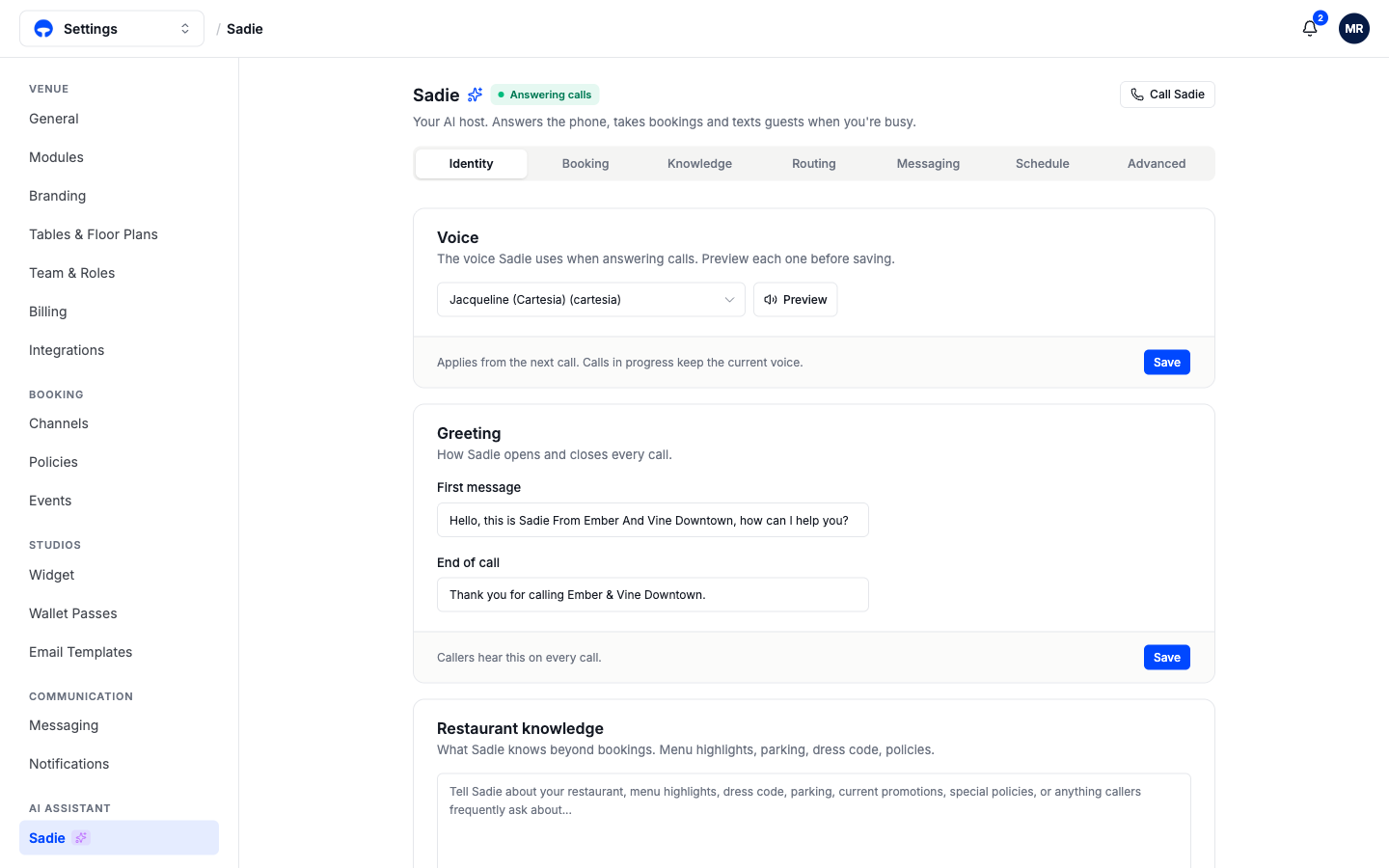
The header shows its status, Answering calls, and a Call Mise button that starts a test call right in your browser, no phone needed, so you can hear exactly what guests hear. Test it after every meaningful settings change; it takes a minute and catches an awkward greeting before a guest does.
Where to set it up
The Mise AI page is organized in seven tabs: Identity, Booking, Knowledge, Routing, Messaging, Schedule, and Advanced. The guides below cover the ground; the Advanced tab holds fine-tuning options most venues never need to touch.